

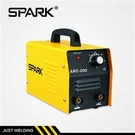



Hey there! As a supplier of single-phase cutting machines, I've seen my fair share of issues where these machines just won't start. It can be super frustrating, especially when you're in the middle of an important project. But don't worry, I'm here to walk you through some troubleshooting steps to get your single-phase cutting machine up and running again.


Check the Power Supply
The first thing you gotta do is check the power supply. It might sound obvious, but sometimes the simplest things are the ones we overlook.
- Is the machine plugged in? Sounds silly, right? But you'd be surprised how often this is the problem. Make sure the power cord is securely plugged into both the machine and the outlet.
- Check the outlet. Try plugging another device into the same outlet to see if it works. If not, there might be an issue with the outlet itself. You can test it with a voltage tester to see if there's power coming through.
- Look at the circuit breaker or fuse. Sometimes, the circuit breaker might have tripped or the fuse might have blown. Check your electrical panel and reset the breaker if it's tripped. If it keeps tripping, there could be a more serious electrical problem. If it's a fuse, replace it with a new one of the same rating.
Examine the Switch and Controls
Next, take a look at the switch and controls on the cutting machine.
- Test the power switch. Sometimes, the power switch can go bad. You can try turning the machine on and off a few times to see if it's just a loose connection. If that doesn't work, you might need to replace the switch.
- Check the control settings. Make sure all the settings on the machine are correct. For example, if the machine has a variable speed control, make sure it's set to an appropriate level. Sometimes, an incorrect setting can prevent the machine from starting.
Inspect the Motor
The motor is the heart of the cutting machine, so it's important to check it for any issues.
- Listen for any strange noises. If you hear a humming sound but the machine isn't starting, it could be a sign of a problem with the motor. A humming sound might indicate that the motor is getting power but isn't able to start rotating.
- Check the motor connections. Make sure all the wires connected to the motor are secure. Loose connections can prevent the motor from getting the power it needs to start. You can also check for any signs of damage or corrosion on the wires.
- Look for overheating. If the motor feels hot to the touch, it could be overheating. This could be due to a variety of reasons, such as a blocked ventilation system or a problem with the motor itself. Let the motor cool down and then check for any obvious signs of damage.
Check the Belt and Pulley System
Many single-phase cutting machines use a belt and pulley system to transfer power from the motor to the cutting blade.
- Inspect the belt. Look for any signs of wear or damage on the belt. A worn or damaged belt might not be able to transfer power effectively, which can prevent the machine from starting. If the belt is loose, you might need to adjust the tension.
- Check the pulleys. Make sure the pulleys are aligned properly and are free to rotate. A misaligned pulley can cause the belt to slip or the motor to work harder than it should. You can also check for any signs of damage or wear on the pulleys.
Look for Mechanical Obstructions
Sometimes, there could be a mechanical obstruction preventing the machine from starting.
- Check the cutting blade. Make sure the cutting blade is not jammed or stuck. If the blade is blocked, the motor won't be able to turn it. You can try manually turning the blade to see if it moves freely.
- Inspect the housing and guards. Look inside the machine's housing and guards for any debris or objects that might be blocking the moving parts. Remove any obstructions carefully.
Consider the Environment
The environment in which the cutting machine is operating can also affect its performance.
- Temperature and humidity. Extreme temperatures or high humidity can cause problems with the electrical components of the machine. Make sure the machine is operating in a suitable environment. If it's too hot, try to provide some ventilation or move the machine to a cooler area.
- Dust and debris. A lot of dust and debris can accumulate inside the machine over time, which can cause problems with the motor and other components. You can use a compressed air canister to blow out any dust or debris from the machine.
When All Else Fails
If you've tried all the above steps and the machine still won't start, it might be time to call in a professional. A qualified technician will have the tools and expertise to diagnose and fix the problem.
As a single-phase cutting machine supplier, I also want to let you know about some of the other great cutting machines we offer. If you're in the market for a more advanced cutting solution, check out our DC Inverter Plasma Cutting Machine and High Duty Cycle Inverter Cutting Machine. We also have Three Phase Cutting Machine for those who need more power.
If you're interested in purchasing a cutting machine or have any questions about troubleshooting or our products, feel free to reach out to us for a purchase negotiation. We're here to help you find the right cutting solution for your needs.
References
- Electrical troubleshooting guides from various manufacturers
- Personal experience as a single-phase cutting machine supplier