

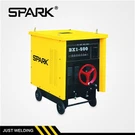
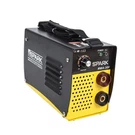
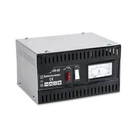
Hey there, fellow welders! I'm a supplier of Digital MMA Welding Machines, and I know how frustrating it can be when a part of your welding machine goes kaput. But don't worry, replacing the parts of a Digital MMA Welding Machine isn't as hard as it might seem. In this blog post, I'll walk you through the steps to replace the parts of your machine, so you can get back to welding in no time.
Why Replace Parts?
First off, you might be wondering why you'd even need to replace parts of your welding machine. Well, there are a few reasons. Over time, parts can wear out due to normal use. Maybe you've been using your machine a lot, and some components just can't handle the constant stress. Sometimes, there can be a manufacturing defect, and a part fails prematurely. Also, if you accidentally damage your machine, you'll need to replace the broken parts.
Tools You'll Need
Before you start replacing parts, you'll need to gather some tools. Here's a basic list:
- Screwdrivers (both flat - head and Phillips - head). You'll use these to open the machine's casing and remove screws holding parts in place.
- Pliers. They're handy for gripping and pulling out small components or wires.
- Multimeter. This tool helps you test electrical components to see if they're working properly.
- Soldering iron and solder. If you need to repair or replace any circuit board components, you'll need these.
Safety First
Safety is super important when working on any electrical equipment, including your Digital MMA Welding Machine.
- Always unplug the machine from the power source before you start working on it. This will prevent any electrical shocks.
- Wear safety glasses to protect your eyes from any small parts that might fly off.
- If you're working on a hot component, let it cool down first to avoid burns.
Common Parts That Might Need Replacement
Let's talk about some of the common parts that you might need to replace in your Digital MMA Welding Machine.
Power Switch
The power switch is what turns your machine on and off. If it gets stuck or stops working, you'll need to replace it. To do this:
- Unplug the machine.
- Use a screwdriver to remove the screws on the casing where the power switch is located.
- Carefully disconnect the wires attached to the switch. You can use pliers to gently pull the wire connectors off.
- Take out the old switch and put in the new one.
- Re - connect the wires to the new switch. Make sure they're properly attached.
- Put the casing back on and screw it in place.
Circuit Board Components
Circuit boards are like the brains of your welding machine. Sometimes, a component on the circuit board can fail. For example, a capacitor might go bad.


- Unplug the machine.
- Open the casing to access the circuit board.
- Use a multimeter to test the component. If it's faulty, you'll need to remove it.
- Heat up the soldering iron and melt the solder holding the component in place. Use pliers to pull out the old component.
- Place the new component in the correct position on the circuit board.
- Solder the new component in place. Make sure the solder joints are clean and secure.
- Close the casing.
Electrode Holder
The electrode holder is what holds the welding electrode. If it gets damaged, like the jaws don't grip the electrode properly, you'll need to replace it.
- Unplug the machine.
- Disconnect the cable from the old electrode holder.
- Attach the cable to the new electrode holder. Make sure it's tightened properly.
Where to Get Replacement Parts
As a Digital MMA Welding Machine supplier, I can tell you that it's important to get high - quality replacement parts. You can buy parts from authorized dealers or directly from the manufacturer. We also offer a wide range of parts for our machines. You can check out some of our great welding machines like the Inverter MINI MMA Welding Machine, the Economic MMA without Ammeter, and the Inverter Welder MMA - 250.
Testing the Machine After Replacement
Once you've replaced a part, it's crucial to test the machine to make sure it's working properly.
- Plug the machine back in.
- Turn it on and check if the new part is functioning as it should. For example, if you replaced the power switch, make sure the machine turns on and off smoothly.
- If you replaced a circuit board component, test the welding output using a scrap piece of metal.
Troubleshooting Tips
If the machine still isn't working after you've replaced a part, here are some things to check:
- Double - check all the connections. Make sure wires are properly connected and screws are tightened.
- Use the multimeter to test other components that might be related to the part you replaced.
- If you're still having problems, it might be a good idea to contact a professional technician.
Conclusion
Replacing the parts of a Digital MMA Welding Machine can seem daunting at first, but with the right tools, a bit of knowledge, and some caution, you can do it yourself. Remember, safety is key, and always use high - quality replacement parts. If you're interested in our Digital MMA Welding Machines or need replacement parts, don't hesitate to contact us for procurement and negotiation. We're here to help you keep your welding projects going smoothly.
References
- Welding Machine Repair Manuals
- Industry Standards for Electrical Equipment Maintenance