

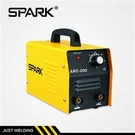



Hey there, welding enthusiasts! If you're here, chances are you've just got your hands on a Three PCB MIG Welding Machine, or you're thinking about getting one. Well, you're in the right place. I'm a supplier of these bad boys, and I'm gonna walk you through the whole installation process step by step.


Before You Start
First things first, safety is key. Make sure you've got the right safety gear on, like welding gloves, a welding helmet, and some flame-resistant clothing. You don't wanna end up getting hurt during the installation, right?
Also, check out the area where you're gonna install the machine. It should be a well-ventilated space, away from any flammable materials. You don't want any accidental fires or explosions. And make sure the surface is flat and stable so the machine won't tip over.
Unpacking the Machine
When you first get your Three PCB MIG Welding Machine, carefully unpack it from the box. Check for any obvious damage during shipping. If you find anything wrong, contact the shipping company and us right away.
Inside the box, you should find the welding machine itself, a welding gun, a ground clamp, a wire feeder, and maybe some other accessories. Take a good look at all the parts and make sure you've got everything listed in the manual.
Choosing the Right Location
Pick a spot for your welding machine that's close to a power source. You don't want to have a super long extension cord, as it can cause voltage drops and affect the performance of the machine. A dedicated electrical outlet with the right amperage is ideal.
Also, make sure there's enough space around the machine for you to move freely. You'll need room to access the controls, load the wire, and work with the welding gun.
Connecting the Power
Now, it's time to connect the power. But before you do that, double-check the voltage requirements of your machine. Our Three PCB MIG Welding Machines usually come with multiple voltage options, so make sure you set it to the right one for your area.
Plug the power cord of the machine into a properly grounded electrical outlet. If you're using an extension cord, make sure it's rated for the amperage of your machine. Once it's plugged in, you can turn on the power switch on the machine. You should see some indicator lights come on, showing that the machine is getting power.
Installing the Wire Feeder
The wire feeder is an important part of the MIG welding process. First, open the wire feeder cover. Then, take a spool of welding wire and place it on the wire spool holder. Make sure the wire is wound in the right direction, usually counterclockwise.
Next, thread the wire through the wire guides and rollers in the wire feeder. Follow the instructions in the manual carefully, as the threading process can vary a bit depending on the model of your machine. Once the wire is threaded through, close the wire feeder cover.
Connecting the Welding Gun
The welding gun is what you'll use to actually do the welding. Connect the welding gun cable to the appropriate socket on the front of the machine. Make sure it's a snug fit. You might need to use a wrench to tighten the connection a bit, but don't over-tighten it.
Also, connect the gas hose to the gas inlet on the back of the machine. Our machines usually use shielding gas like carbon dioxide or a mixture of gases to protect the weld from contamination. Make sure the gas hose is properly connected and there are no leaks. You can use a soapy water solution to check for leaks around the connections. If you see bubbles forming, there's a leak, and you need to tighten the connection or replace the seal.
Connecting the Ground Clamp
The ground clamp is crucial for a good welding circuit. Attach the ground clamp to a clean and bare metal surface of the workpiece. Make sure the connection is tight so there's good electrical contact. A loose ground connection can cause poor welding quality and even damage the machine.
Testing the Machine
Once you've connected everything, it's time to do a test run. But before you start welding on an actual workpiece, it's a good idea to do some test welds on a scrap piece of metal.
Set the welding parameters according to the thickness of the metal you're going to weld. You can usually find a chart in the manual that shows the recommended settings for different metal thicknesses. Turn on the gas flow and start the wire feed. You should see the wire coming out of the welding gun.
Pull the trigger on the welding gun and start making a test weld on the scrap metal. Pay attention to the appearance of the weld. It should look smooth and uniform. If the weld looks spattery or has other issues, you might need to adjust the welding parameters.
Troubleshooting
If you run into any problems during the installation or testing, don't panic. Most issues can be easily fixed. Here are some common problems and their solutions:
- No power: Check the power cord, the electrical outlet, and the circuit breaker. Make sure the machine is properly plugged in and the circuit breaker hasn't tripped.
- Wire not feeding properly: Check if the wire is threaded correctly through the wire feeder. Also, make sure the wire spool is rotating freely and there are no kinks in the wire.
- Poor weld quality: Adjust the welding parameters like voltage, wire feed speed, and gas flow rate. Make sure the ground connection is good and the workpiece is clean.
Conclusion
Installing a Three PCB MIG Welding Machine might seem a bit daunting at first, but if you follow these steps, you'll have it up and running in no time. Remember, safety is always the top priority, so make sure you wear the right safety gear and work in a safe environment.
If you have any questions or need further assistance, don't hesitate to contact us. We're here to help you get the most out of your welding machine.
And if you're interested in other welding machines, check out our 5 Kgs Wire Welding Machine and MIG MAG Welding Machine. Our Three PCB IGBT MIG Welding Machine is also a great option with advanced features.
If you're thinking about purchasing a welding machine or have any questions about our products, feel free to reach out to us for a detailed discussion. We're more than happy to assist you in finding the perfect welding solution for your needs.
References
- Welding Machine Installation Manual
- Welding Safety Guidelines