

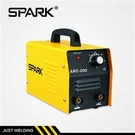



Hey there, fellow welders and DIY enthusiasts! I'm a supplier of Digital MIG Welding Machines, and I'm stoked to share some tips on how to adjust the welding parameters on these awesome machines. Whether you're a newbie or a seasoned pro, getting the right settings can make all the difference in the quality of your welds.
First off, let's talk about why adjusting welding parameters is so important. Every welding job is different, and the materials you're working with, the thickness of the metal, and the type of joint you're creating all play a role in determining the optimal settings. If your parameters are off, you might end up with weak welds, excessive spatter, or even burn through the metal. So, taking the time to dial in the right settings is crucial for achieving professional-looking results.
Now, let's dive into the key parameters you'll need to adjust on your Digital MIG Welding Machine:
Voltage
Voltage is one of the most important parameters to consider when welding. It controls the heat input into the weld, which affects the penetration and bead shape. Generally, higher voltage settings result in deeper penetration and wider beads, while lower voltage settings produce shallower penetration and narrower beads.
When choosing the right voltage for your project, you'll need to consider the thickness of the metal you're welding. As a general rule of thumb, thicker metals require higher voltage settings, while thinner metals need lower voltage. You can usually find a recommended voltage range for different metal thicknesses in your welding machine's manual.
To adjust the voltage on your Digital MIG Welding Machine, simply use the voltage control knob or digital display. Start with a lower voltage setting and gradually increase it until you achieve the desired penetration and bead shape. Keep in mind that the optimal voltage setting may also depend on the wire feed speed and the type of shielding gas you're using.
Wire Feed Speed
The wire feed speed determines how fast the welding wire is fed into the weld pool. It's closely related to the voltage, as a higher wire feed speed generally requires a higher voltage to maintain a stable arc. If the wire feed speed is too slow, the arc may become unstable, and you may experience excessive spatter. On the other hand, if the wire feed speed is too fast, the wire may not melt properly, resulting in poor weld quality.
To find the right wire feed speed for your project, start by setting it to a medium value and then make small adjustments based on the appearance of the weld. If the weld looks too cold or has a lot of spatter, increase the wire feed speed slightly. If the weld looks too hot or the wire is burning back into the contact tip, decrease the wire feed speed.
Most Digital MIG Welding Machines have a wire feed speed control knob or digital display that allows you to easily adjust the speed. Some machines also have a pre-set wire feed speed function that automatically adjusts the speed based on the selected voltage and wire diameter.
Gas Flow Rate
Shielding gas is used to protect the weld pool from atmospheric contamination, which can cause porosity and other defects in the weld. The gas flow rate determines how much shielding gas is delivered to the weld area. If the gas flow rate is too low, the weld may not be properly protected, resulting in poor weld quality. If the gas flow rate is too high, it can cause turbulence in the weld pool and increase the risk of spatter.
The optimal gas flow rate depends on several factors, including the type of shielding gas, the welding process, and the size of the welding gun. As a general rule of thumb, a gas flow rate of 20-30 cubic feet per hour (CFH) is suitable for most MIG welding applications. However, you may need to adjust the flow rate based on your specific project requirements.
To adjust the gas flow rate on your Digital MIG Welding Machine, use the gas flow regulator. Start by setting the flow rate to the recommended value and then make small adjustments based on the appearance of the weld. If the weld looks porous or has a lot of spatter, increase the gas flow rate slightly. If the weld looks too cold or the shielding gas is blowing away the molten metal, decrease the gas flow rate.
Contact Tip to Work Distance
The contact tip to work distance (CTWD) is the distance between the end of the contact tip and the workpiece. It affects the stability of the arc and the quality of the weld. If the CTWD is too short, the wire may stick to the workpiece, and you may experience excessive spatter. If the CTWD is too long, the arc may become unstable, and you may have difficulty controlling the weld.
The optimal CTWD depends on the wire diameter and the welding process. As a general rule of thumb, a CTWD of 3/8 to 1/2 inch is suitable for most MIG welding applications. However, you may need to adjust the distance based on your specific project requirements.
To maintain the correct CTWD, hold the welding gun at a consistent angle and distance from the workpiece. You can use a welding tip gauge or a piece of scrap metal to measure the distance and ensure it remains constant throughout the welding process.
Travel Speed
Travel speed refers to how fast you move the welding gun along the joint. It affects the bead width, penetration, and overall weld quality. If the travel speed is too slow, the weld may be too wide and have excessive heat input, which can lead to distortion and other defects. If the travel speed is too fast, the weld may be too narrow and have insufficient penetration.
The optimal travel speed depends on several factors, including the voltage, wire feed speed, and the thickness of the metal. As a general rule of thumb, a travel speed of 12-20 inches per minute is suitable for most MIG welding applications. However, you may need to adjust the speed based on your specific project requirements.
To find the right travel speed for your project, start by practicing on a scrap piece of metal. Move the welding gun at a steady pace and observe the appearance of the weld. If the weld looks too wide or has excessive heat input, increase the travel speed slightly. If the weld looks too narrow or has insufficient penetration, decrease the travel speed.


Tips for Adjusting Welding Parameters
- Read the Manual: Before you start welding, make sure you read the manual for your Digital MIG Welding Machine. It will provide you with important information about the machine's features, settings, and safety precautions.
- Practice on Scrap Metal: Before you start working on your actual project, practice adjusting the welding parameters on a scrap piece of metal. This will help you get a feel for how the machine works and allow you to fine-tune the settings for your specific project.
- Make Small Adjustments: When adjusting the welding parameters, make small adjustments at a time and observe the results. This will help you avoid making drastic changes that could affect the quality of the weld.
- Keep Records: It's a good idea to keep a record of the welding parameters you use for each project. This will help you remember the settings that worked best for different materials and applications and make it easier to replicate your results in the future.
- Seek Professional Advice: If you're still having trouble adjusting the welding parameters or achieving the desired results, don't hesitate to seek professional advice. You can consult with a welding instructor, a fellow welder, or the manufacturer of your welding machine.
Conclusion
Adjusting the welding parameters on a Digital MIG Welding Machine is an important skill that every welder should master. By understanding the key parameters and how they affect the weld, you can achieve professional-looking results and ensure the quality and durability of your welds.
If you're in the market for a Digital MIG Welding Machine, we've got you covered. Check out our 1 kg Wire Welding Machine, Family Use Popular Transformer MIG Welding Machine, and Single PCB MIG Welding Machine with Separate Torch. These machines are designed to provide you with precise control over the welding parameters and deliver high-quality welds every time.
If you have any questions or would like to discuss your welding needs, please don't hesitate to contact us. We're here to help you find the right welding solution for your project.
References
- Welding Handbook, American Welding Society
- Miller Electric Mfg. Co., Welding Tips and Techniques
- Lincoln Electric Co., Welding Parameter Guides